






PMO Tech Consulting are a proud partner of Clarizen, tools that connect work across the enterprise, turning ideas into strategies, plans, and action.
With Clarizen, organisations can work the way they want to work and have real time visibility into all their workstreams. This keeps teams focused on the things that matter, delivers results faster, and helps them exceed their company goals and customers’ expectations.
Clarizen’s CWM solution adapts to business processes, facilitates purposeful collaboration and provides efficiency through powerful workflow automation. It is built for enterprises that need to respond faster to changing market conditions and execute efficiently against its business goals.
Fast to deploy and easy-to-use, Clarizen redefines enterprise collaboration by connecting social context with tasks and projects to drive increased productivity and profitability – at all levels of your organization.
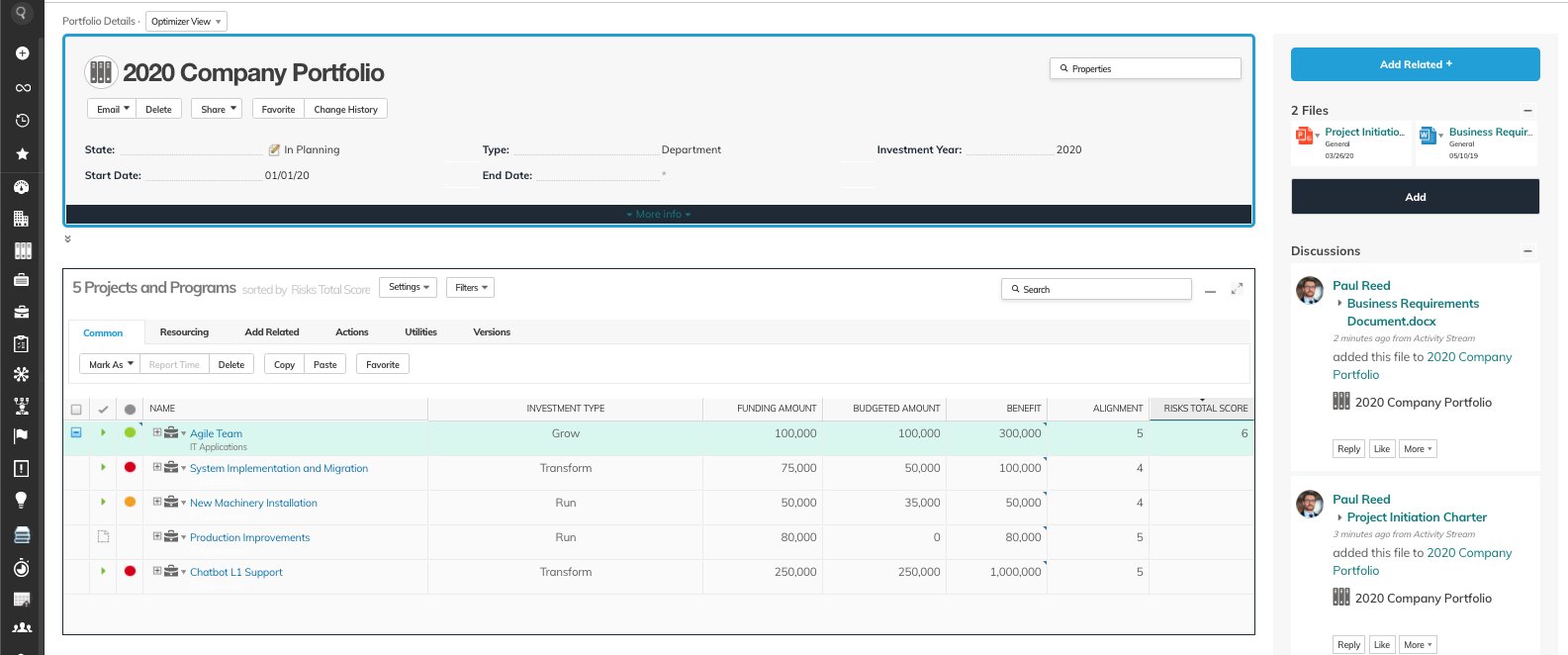
Comprehensive visibility across all your workstreams provides an accurate and up-to-date source of critical information. Work can be aggregated across teams, projects, and even departments allowing you to proactively identify any blockers and potential impacts. Business decisions will be more informed, allowing you to take action faster to ensure all work efforts are optimized to deliver timely and impactful results.
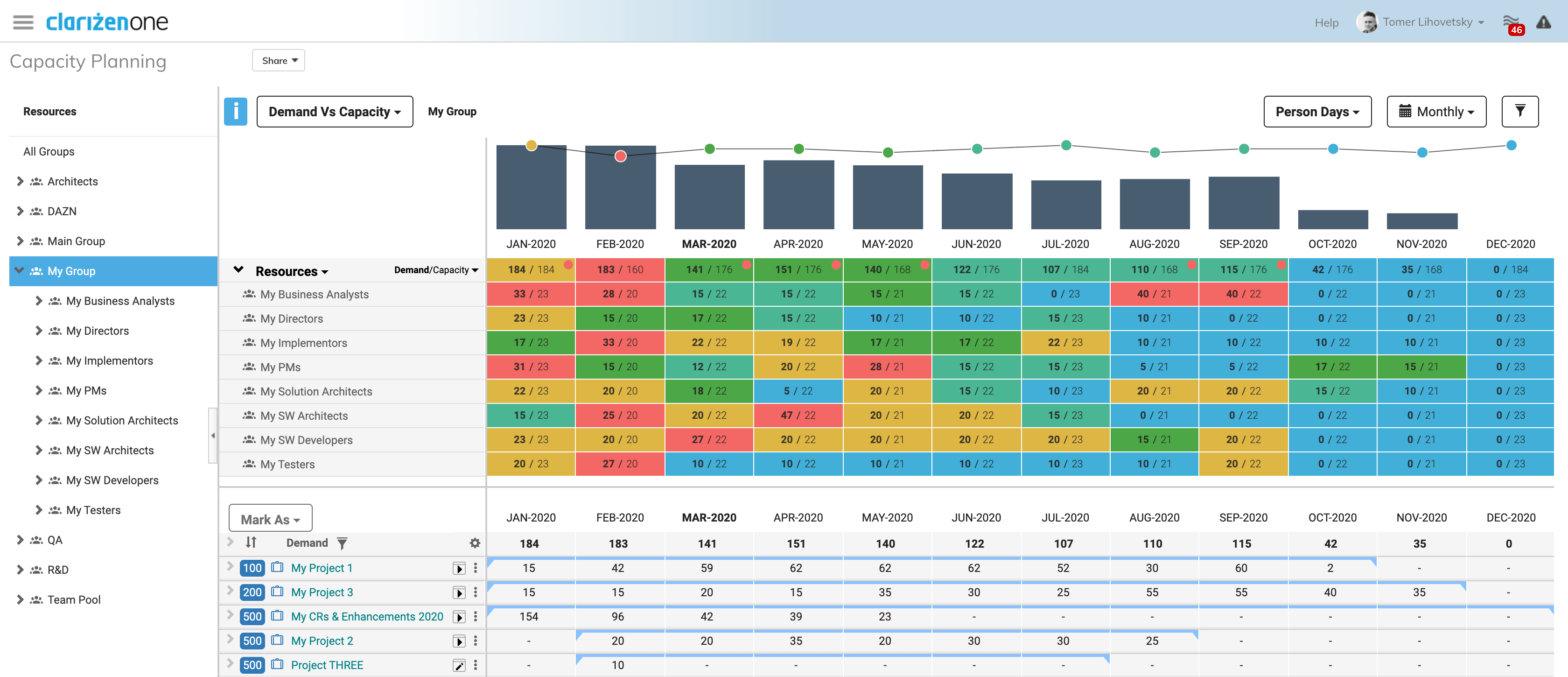
Gain real-time insight into your available resources and their current
workloads. See at a glance the projects and tasks each team member is
working on, and shuffle things around as appropriate with a few clicks.
Review the impact to your teams’ resource load by including or excluding
projects, thereby allowing you to plan the impact of future projects. Team
members get automatic updates whenever changes are made that affect
them, and with centralized communications, they won’t have any trouble
getting a clear picture of their current and future work demands.
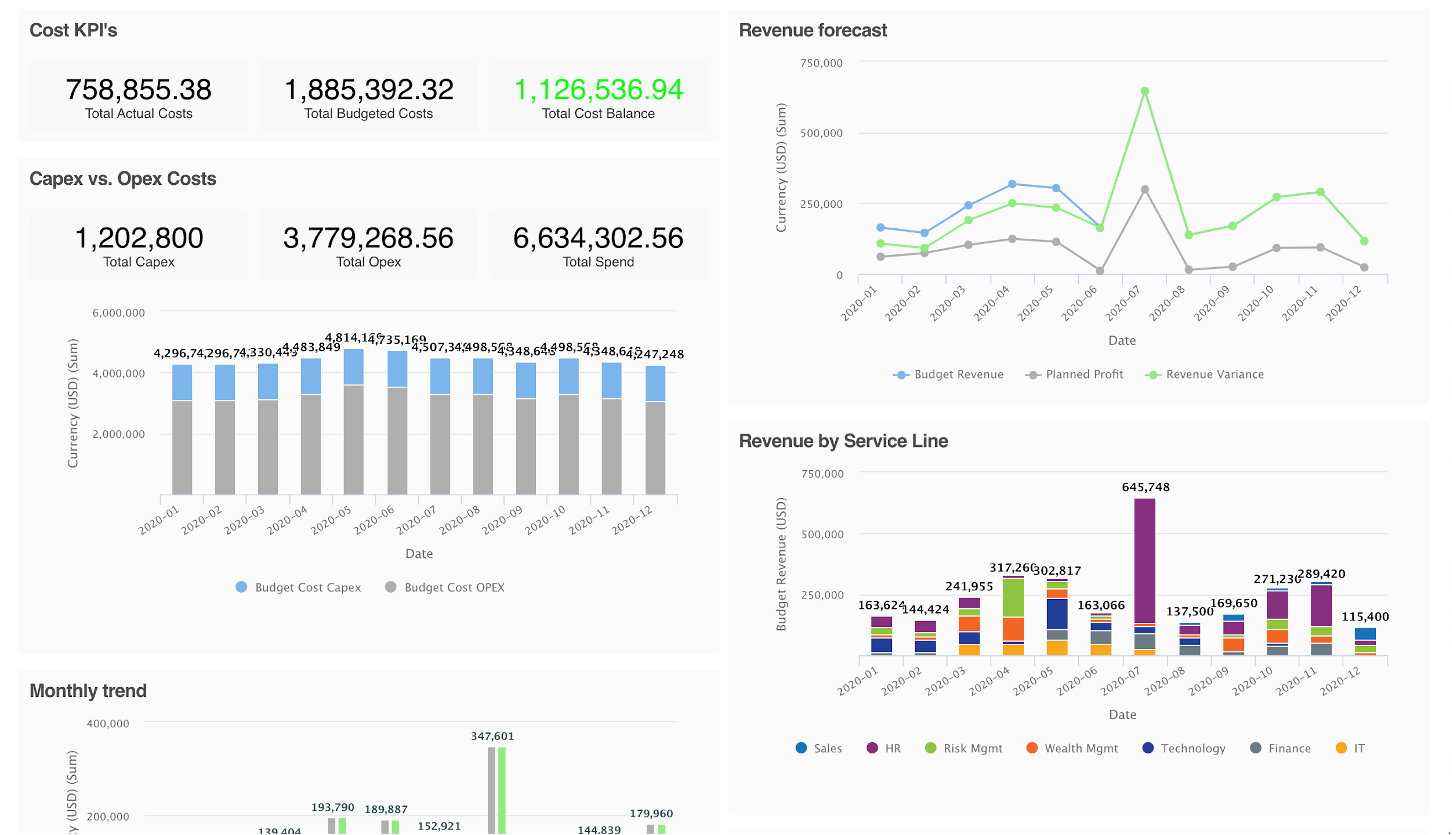
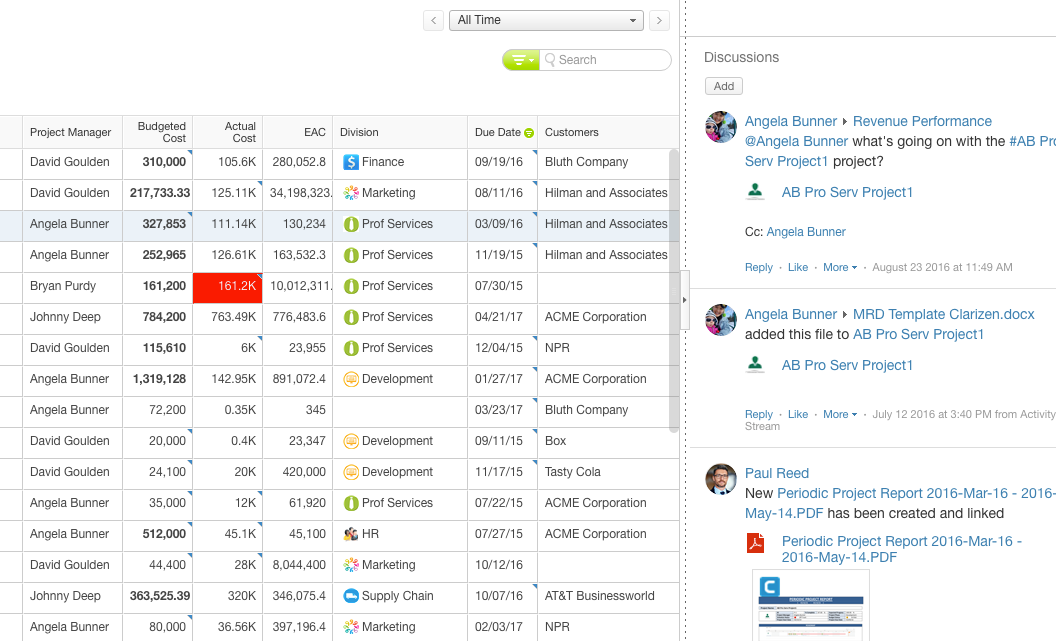
Prevent any surprises and help keep financial metrics in check with real-time visibility and up-to-date project financials. Plan, set budgets, and make real-time updates to the actuals so all stakeholders are always up-to-date.
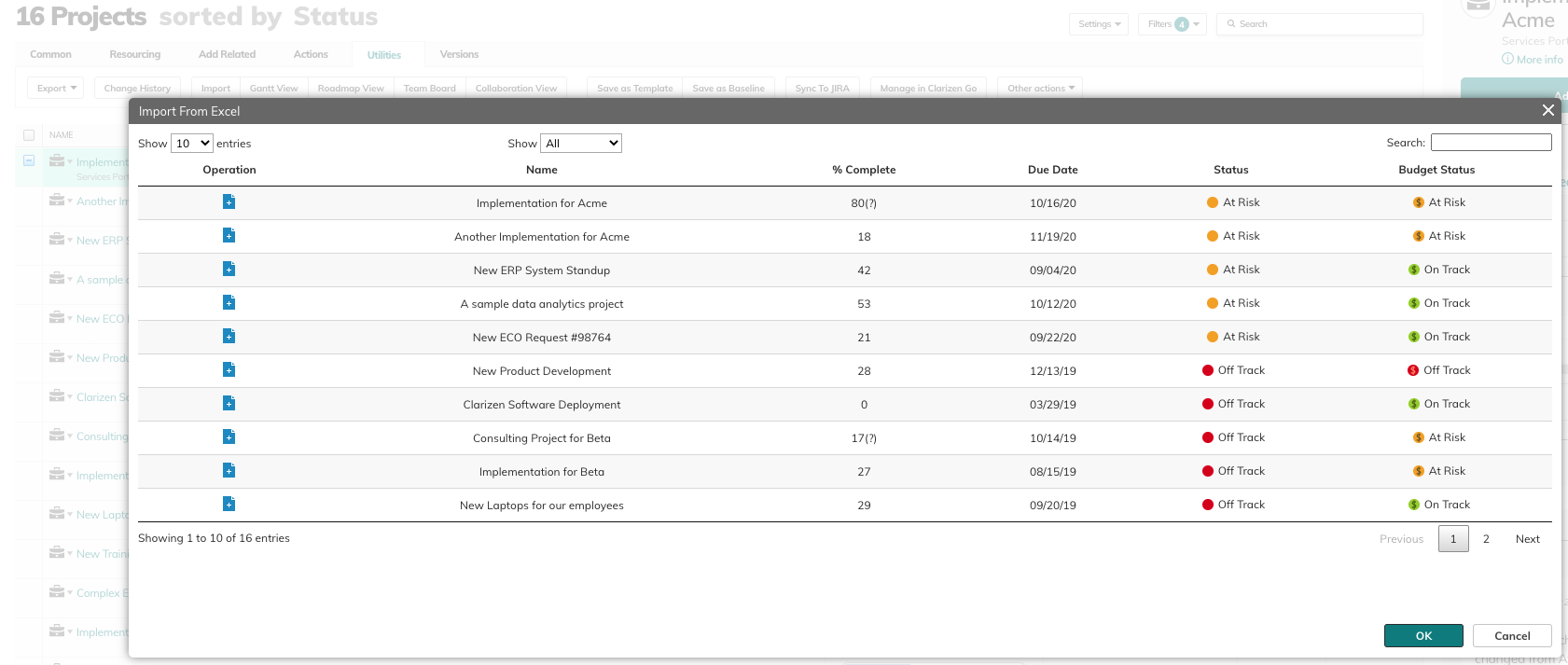
Track all expenses by employee, department, task or work item, and link them back to the appropriate projects. Monitor expenses to ensure every project stays within budget. Set hourly rates on a global basis as well as by role, user, or project. View projects and actual staff hours in real time, and analyze burn rate and billing status for each project. Excel Import feature enables you to import data directly from Microsoft Excel to quickly add or update existing Work Items, Cases, People, Customers, Groups, or Data Objects in Clarizen.
Leverage pre-built reports and dashboards or easily build your own. Empower all levels of the organization with 360-degree real-time information so they can make immediate data-driven decisions. Our unique Slide Publisher saves time by providing a build-in wizard that lets you automatically produce customer-facing PowerPoint presentations with up-to-the minute project data in your own branded template.
Track and manage all inbound work requests you receive. With Clarizen, requests automatically include relevant details, such as the name of the person or customer who requested the change, description, priority and timeframe, as well as all pertinent discussion posts and attachments. Make informed decisions about priorities, resources and timelines all thanks to Clarizen’s real-time social collaboration platform that gives you complete transparency into the complete lifecycle and all conversations, approvals, files, and related work to that change request or case.
At its core, Clarizen streamlines and automates project planning and surrounds every aspect with rich discussion groups for collaboration.
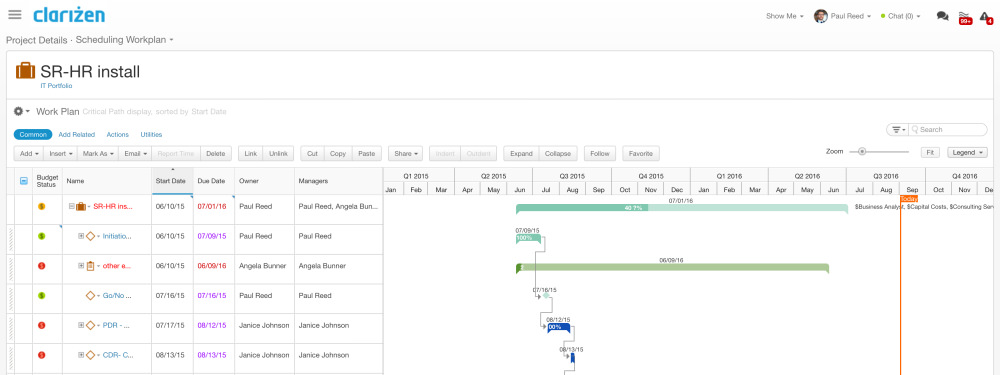
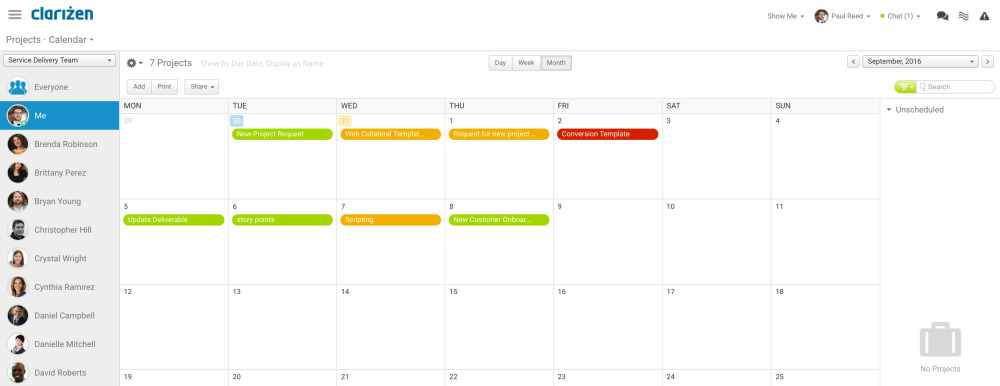
Quickly establish a timeline with milestones, due dates, deliverables and interdependencies and even take advantage of prebuilt templates to simplify the job even more. You can also assign resources based on skillset and availability, and easily monitor and report on progress.
Save time by using Clarizen’s out-of-the-box templates for your projects
and portfolios, or create your own to suit your needs.
With our project and milestone templates, you can automate project creation based on your own custom triggers and workflows, including input from third-party systems such as Salesforce.
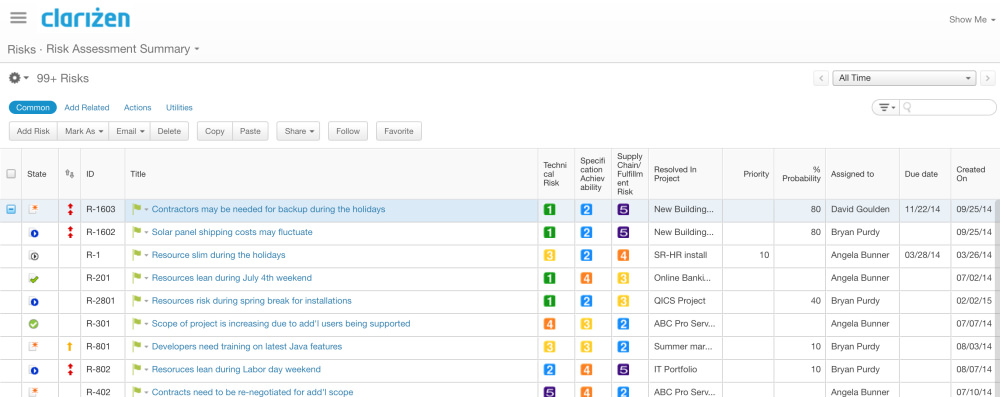
Identify and manage risks relating to your projects.
Clarizen’s case management helps you track, log and manage issues that may affect your project, so you can easily create a risk register and proactively devise a mitigation strategy
Clarizen provides context around your work through rich discussion groups at every level – files, tasks, projects and more. You can even have independent discussion groups for brainstorming and updates, reducing the need for tedious status meetings. With Clarizen InterAct, team members can create issues, update status and participate in discussions, all within their email. This increases collaboration and makes it simple to provide everyone with realtime updates within Clarizen or via email, including easily shareable widgets, like roadmaps, graphs and project plans.
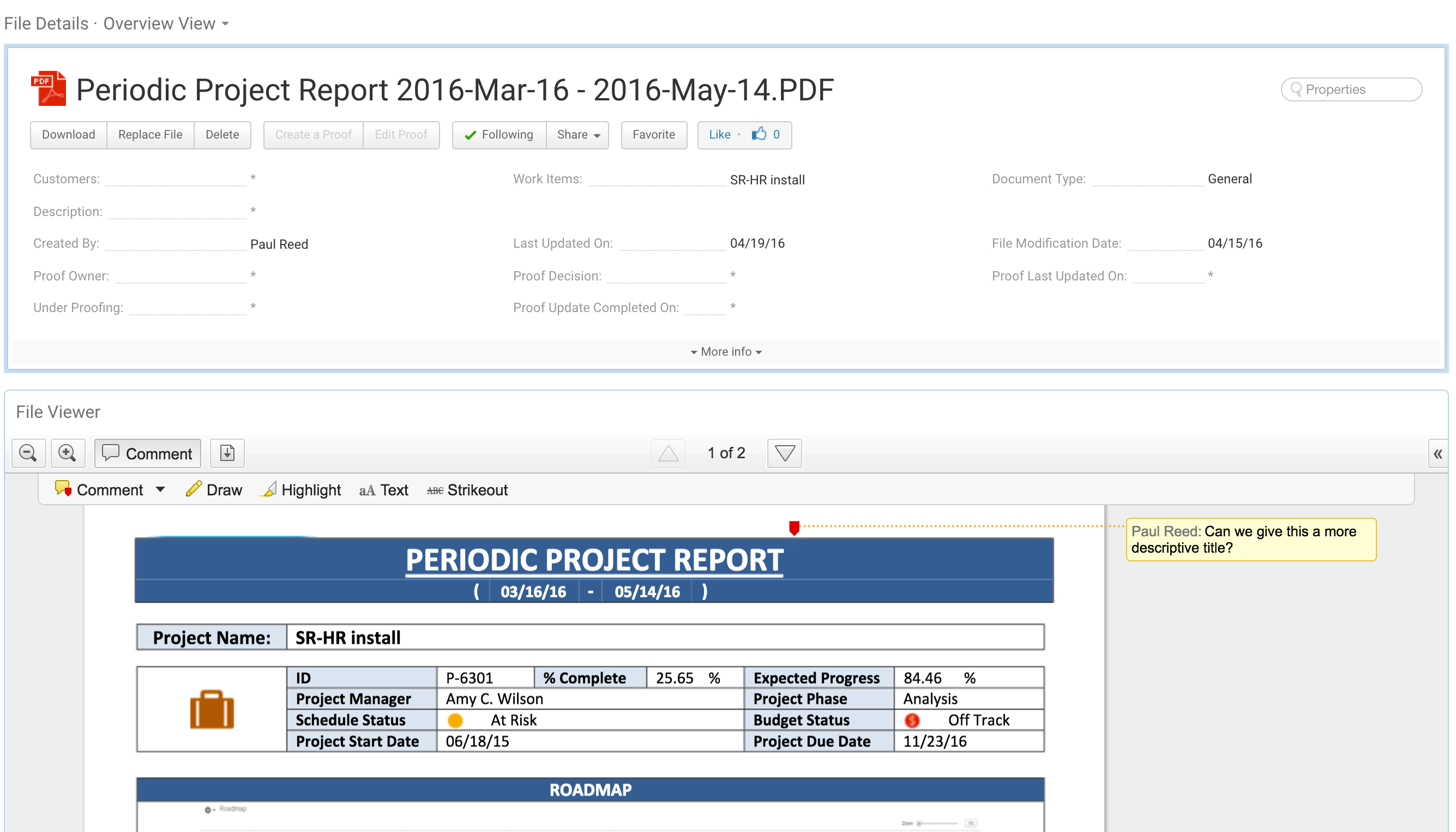
Manage all your files in one central location with links to relevant tasks,
discussions, projects, and more. Collaborate with team members and external users and annotate documents — all within a single tool. Clarizen’s work management solution also integrates with tools like Box, Google Docs and SharePoint to support your organization’s document management and workflow strategies. Our patented InterAct engine lets you collaborate with team members to review files and even download the file directly from email.
Clarizen cloud-based project management helps employees stay on top of their tasks, prioritize them and collaborate to gain the context they need to get them done right the first time. The system centralizes all project- and nonproject- related tasks in the users’ workspaces, preventing important tasks from falling through the cracks. And we’ve made it easy to keep progress updated — either directly in Clarizen, by email, or from Microsoft Teams or Slack using the Clarizen Bot.
Import new project data from an Excel spreadsheet or even export data from
Clarizen to Excel, add and update data offline, and import back into Clarizen.
The import process validates the data, highlights invalid data, and allows you
to make corrections inline at the time of import.
Track all billable and non-billable hours your team members and outside consultants spend on each project or change request.
Clarizen online project management automatically associates the hours to the appropriate work item or project, and populates them with the correct billing rates for the resource level, task and work item. Reporting time is never an issue since teams can use Clarizen Bot to submit their time without ever leaving Microsoft Teams or Slack.
Clarizen’s External Collaborator delivers a new way of communicating,
collaborating and delivering results throughout the project delivery lifecycle
with all stakeholders. Engage in consistent, secure discussions with your team
members, customers and partners in context and in real time. Clarizen creates
an intuitive, one-stop-shop portal that provides access for external users
to their projects, files, conversations, and requests — no training required.
Public discussions on the customer portal demonstrate transparency, while
remaining separate from your internal teams’ private discussions.
Integrate with the tools your organization uses most, including
Salesforce.com, Box, Intacct, QuickBooks, Jira, SharePoint, Google Docs, ServiceNow and more. Additionally, Clarizen offers a host of applications you can install from the Apps Marketplace with just one click. Clarizen also offers a full suite of APIs, so you can integrate with any solution you use.
Clarizen’s mobile app mirrors the full functionality of our web application,
creating a seamless, consistent user experience between devices. Clarizen
connects mobile functionality — like the camera and phone — with enterprise
work collaboration, so team members can stay on top of their work from
anywhere.
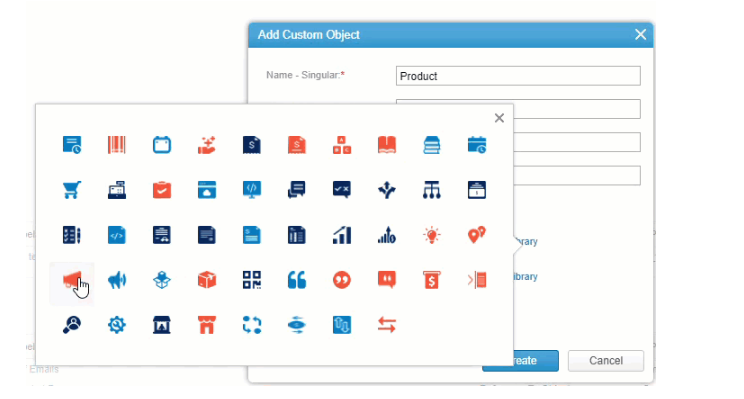
Custom Objects help you extend Clarizen to address more of your own unique business needs right out of the box. And because it’s a feature (and not custom code), adding custom objects doesn’t require lengthy or expensive development time. These objects work alongside all standard Clarizen objects, including the ability to include them in your reports. This type of rich customization increases visibility, strengthens collaboration, improves outcomes, and reduces risk.